
New in MAPRO
Your whole operation on one map
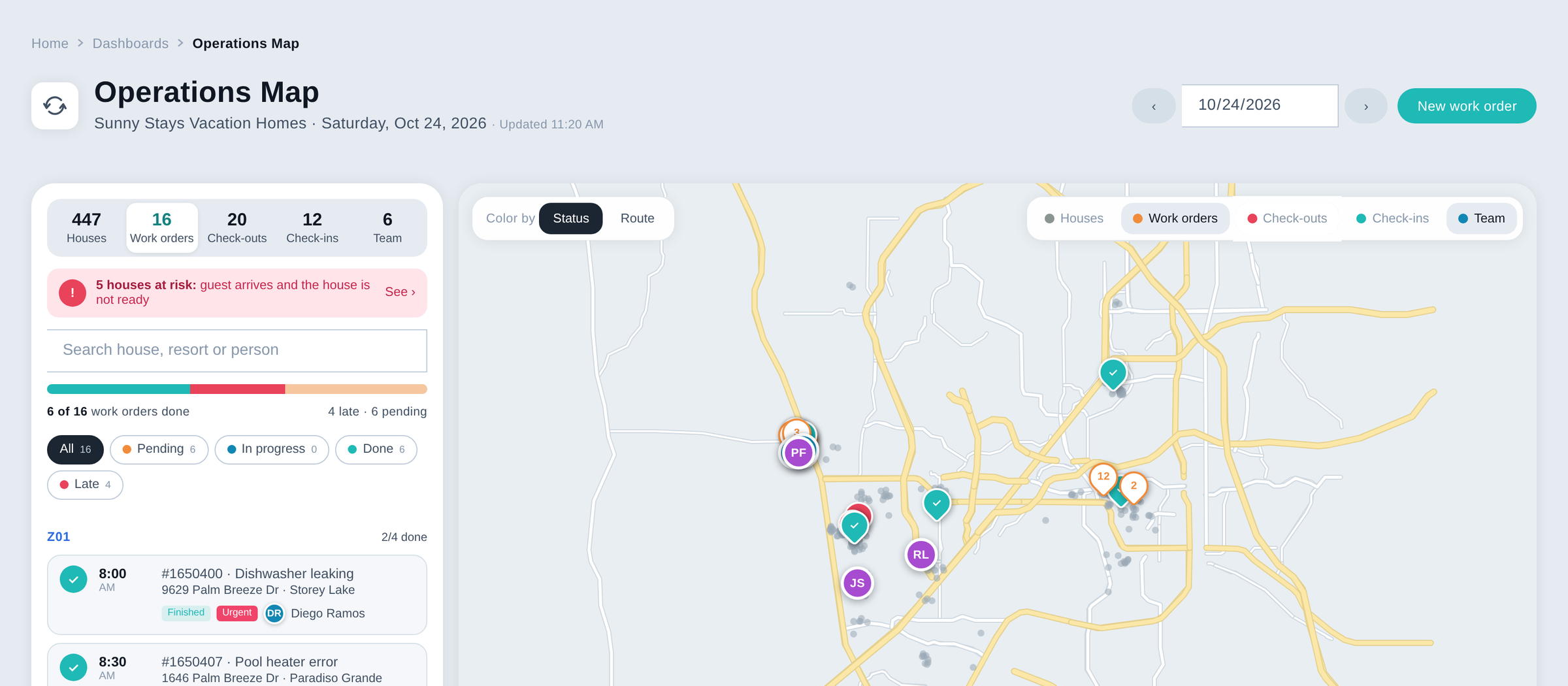
Work orders, cleanings, check-ins and your field team on one map. See what's done, what's late and which house isn't ready before the guest arrives.
At a glance
Operations Map is the MAPRO vacation rental software dashboard that puts the whole day of your operation on one screen, with a list on the left and a Google Maps map on the right. Five tabs show today's count of houses, work orders, check-outs, check-ins and field team, every pin is colored by status or by route, and houses that won't be ready for check-in are flagged before the guest arrives. Open Dashboards › Operations Map, pick the day, choose a tab and click any pin to open the work order, see why a house is at risk or open the way in Google Maps. It is built for the office of a property management company, from the operations manager to the maintenance and housekeeping coordinators.
How Operations Map works
See what's done. And what's not.
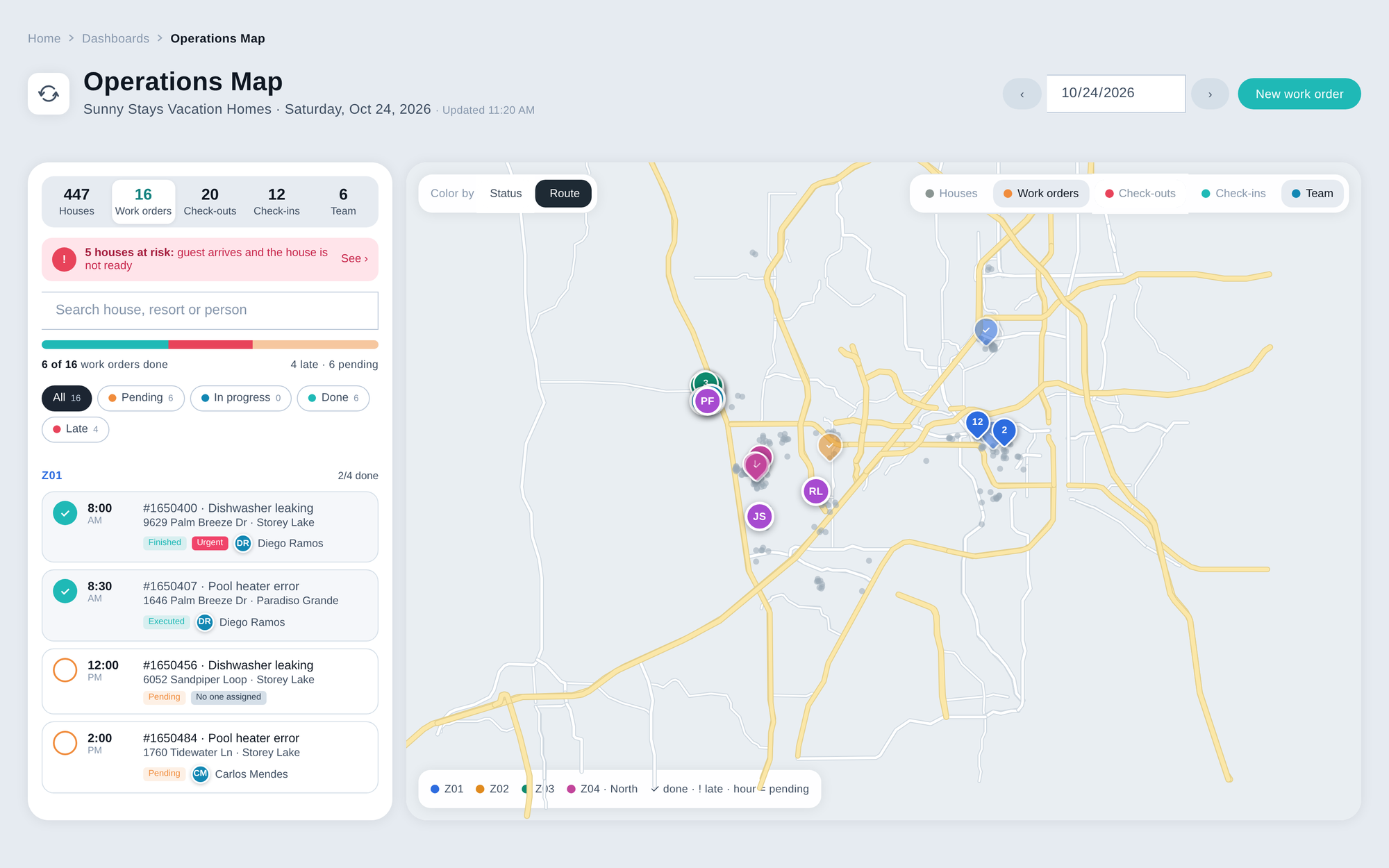
Every work order scheduled for the day appears by route, with time, issue, house, urgency and who is assigned. Pins are colored by status, pending, done or late, and a progress bar shows how much of the day is finished. Switch to color by route to see your zones, with the check or the alert still inside each pin, and turn each layer on or off.
Cleaning status for every check-out
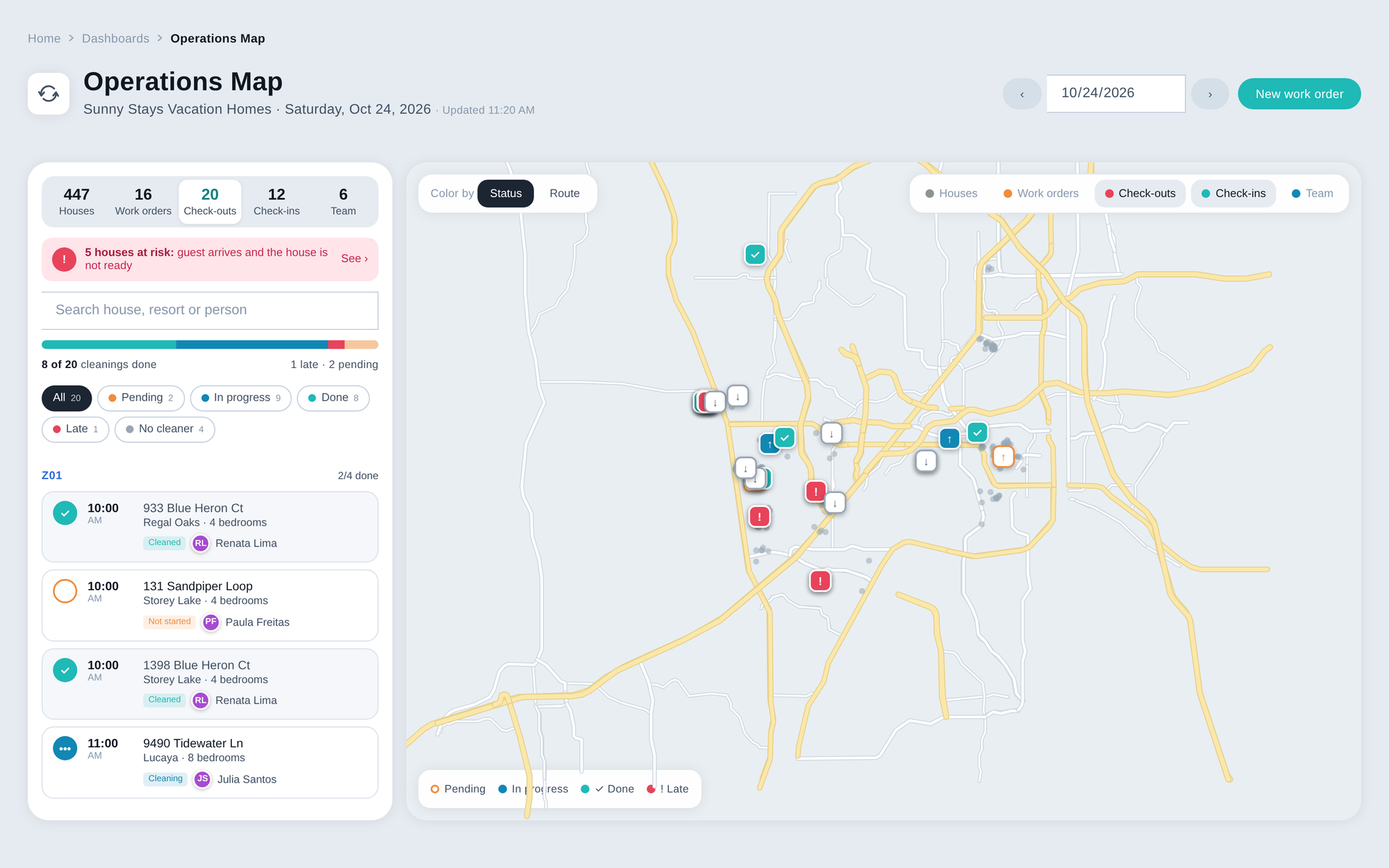
Each check-out of the day shows whether the cleaning has not started, is in progress or is done, and who is cleaning. Filter the cleanings with no cleaner assigned, and a cleaning that hasn't started at a house with a check-in today is marked late.
Catch the house that isn't ready
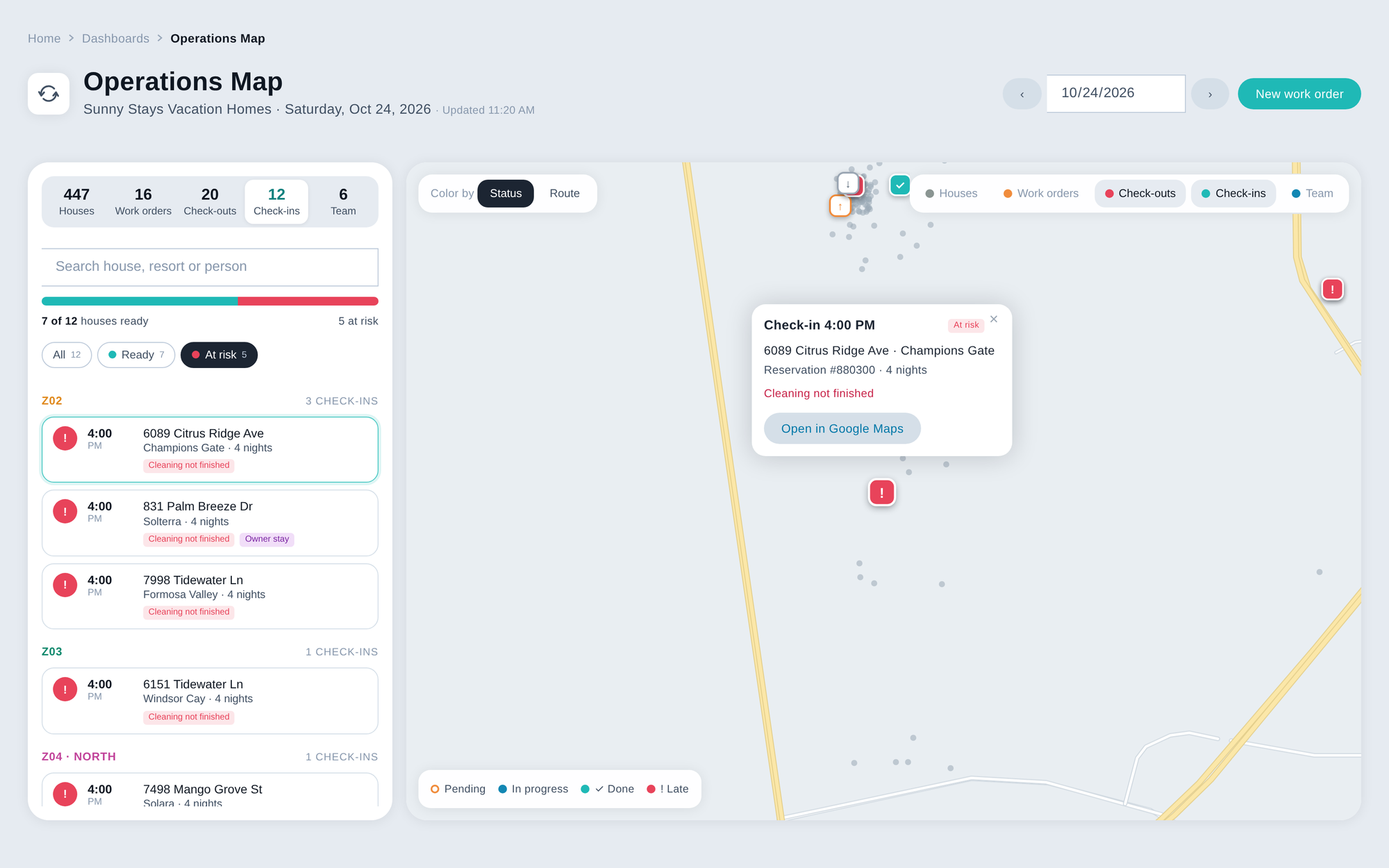
A house with a check-in today is at risk when its cleaning isn't finished or a work order is still open there. A red banner at the top tells you how many houses are at risk, and the At risk filter shows the reason for each one.
Know where your team is working
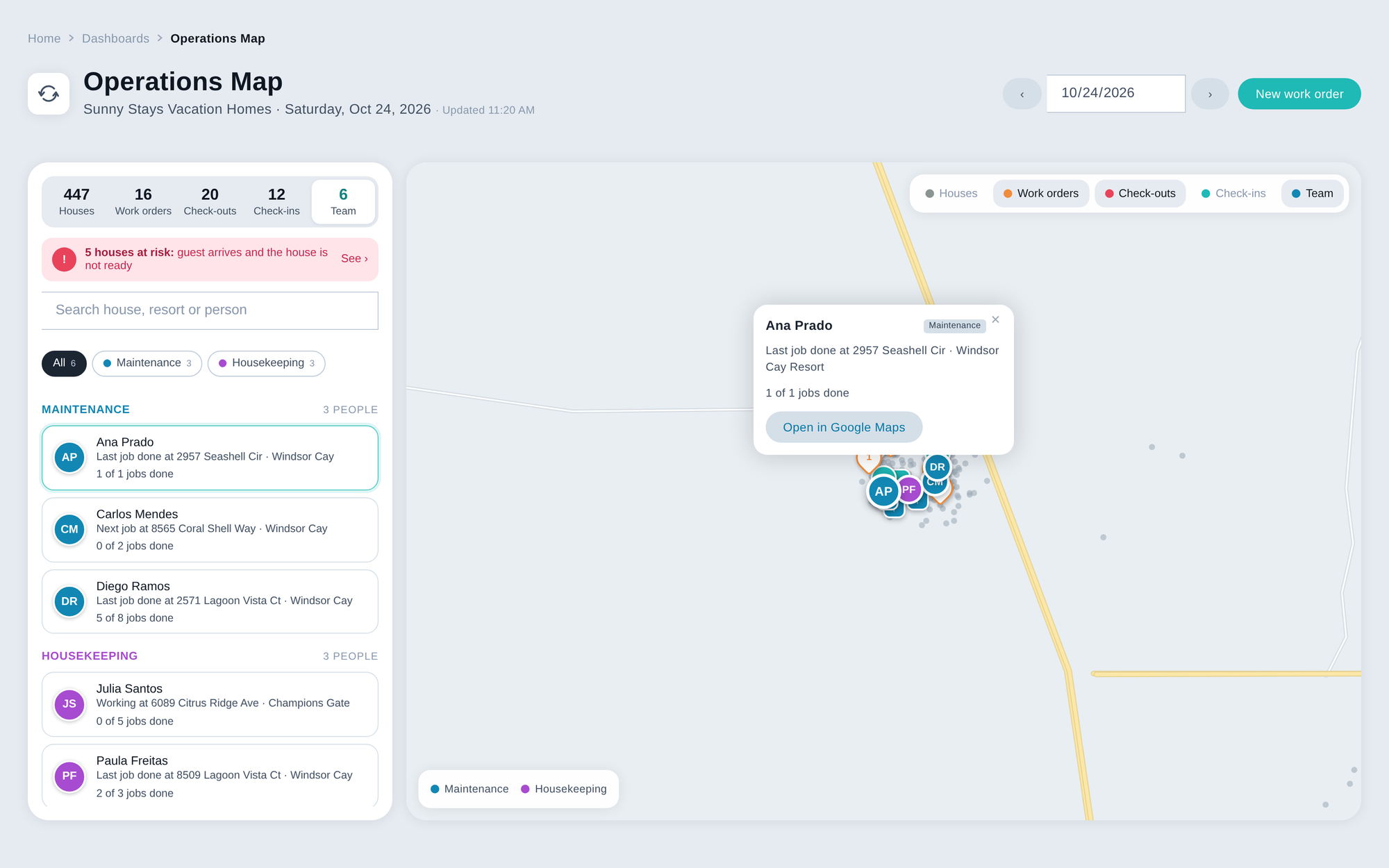
See today's maintenance and housekeeping teams on the map. Team members using the MAPRO app in the field show at their phone's Live GPS position, with the time it was last updated, and everyone else shows at the house of the job they are on, the last one they finished or the next one. Click a person to see their next jobs as a dotted route and how many jobs they have done.
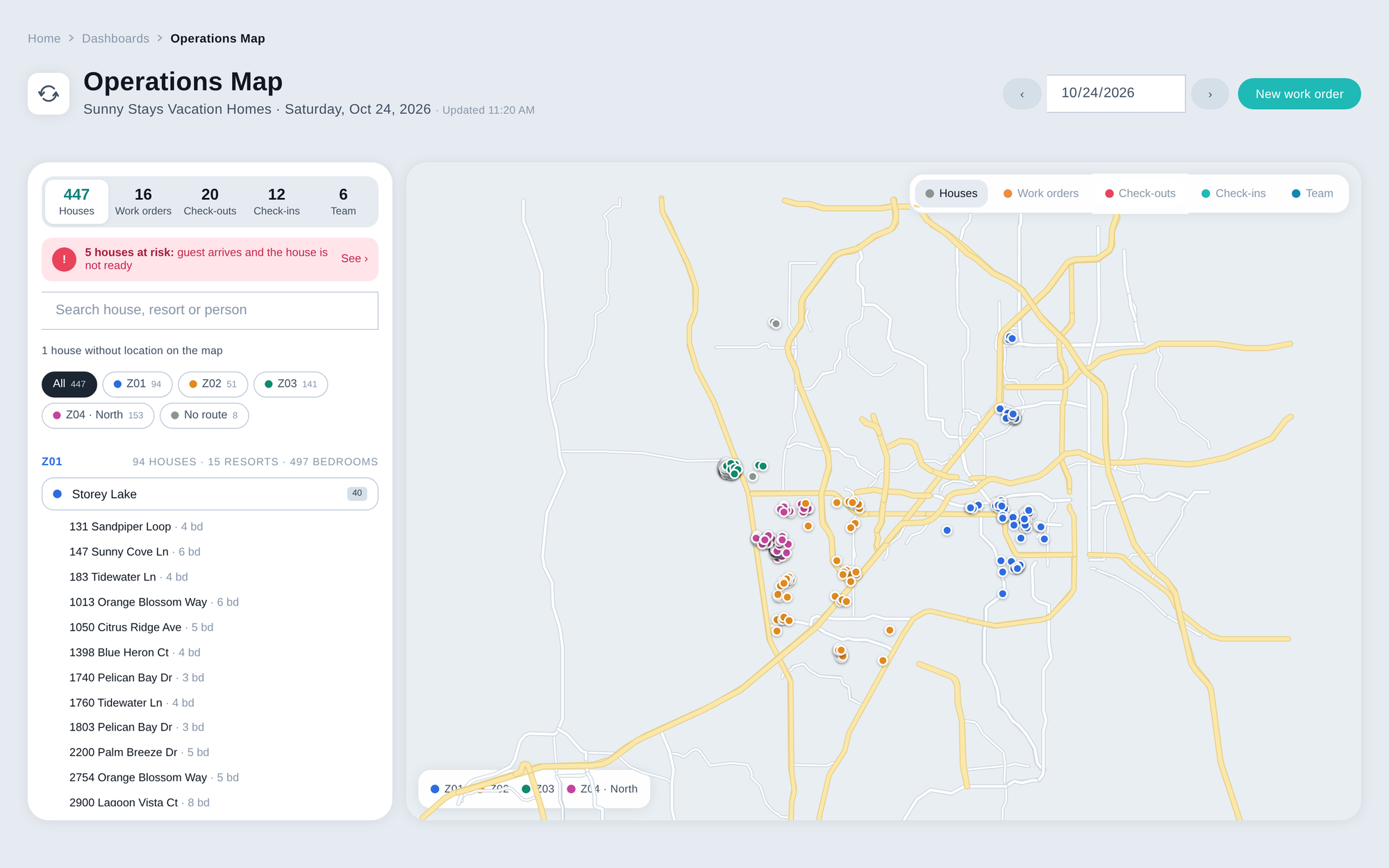
Every house, by route and resort
All your active houses appear on the map, grouped by the routes you already set up in MAPRO and then by resort, with the total of houses, resorts and bedrooms for each route. Click a resort to zoom in on its houses, and any house without a location is flagged in the list.
One screen, five views
Houses, work orders, check-outs, check-ins and team, each in its own tab with today's count.
Late work is flagged
A work order is late when its scheduled time has passed and it hasn't been done.
Cleanings with no cleaner
Filter the check-outs that still have nobody assigned to clean.
Works on the phone
The same screen on the phone, with the map on top and the list below.
Day by day
Move between days or jump back to today, which refreshes automatically.
Open in Google Maps
Open the way to any house from the card on the map.
Makes it much easier to control cleaning schedules and share finances and occupation with owners.
Operations Map questions
Where do I find Operations Map?
In MAPRO, under Dashboards › Operations Map.
Can I see my team's GPS location?
Yes. Team members using the MAPRO app in the field show on the map at their phone's Live GPS position, with the time it was last updated, and you can filter the team by Live GPS. Anyone without the app shows at the house of the job they are on, the last one they finished or the next one.
What makes a house "at risk"?
A check-in today and a cleaning that isn't finished, or a work order still open at that house.
Can I see other days?
Yes. Move day by day or jump back to today.
Does it work on mobile?
Yes. The map stays on top and the list below.
Where do the routes come from?
From the routes you already set up for your houses in MAPRO.
See your whole day on one map
Book a demo and see Operations Map with your own houses, routes and team.